Shure MV6 USB Mic: Do the Pop Filters Help?
The Shure MV6 made a strong first impression with simple USB-C setup, a stable desktop base, direct monitoring, and useful MOTIV Mix voice controls.
Affiliate disclosure: As an Amazon Associate I earn from qualifying purchases. This article may contain affiliate links, which means I may earn a commission at no extra cost to you.
The Shure MV6 USB mic gets the important stuff right: it was easy to connect, it showed up in the software right away, and the processing tools are not just decorative checkboxes. I saw the real-time denoiser reduce visible background-noise activity from my air conditioner, and the Popper Stopper gave me another useful tool for plosive-heavy speech.
This is a desktop mic aimed at people who want to start talking, recording, streaming, or podcasting without building a separate audio chain. That part worked well for me.I confirmed the grid was energized while the unit was powered. Do not touch or probe the grid while it is connected to power.
The Shure MV6 is a straightforward desktop USB mic with a stable base and genuinely useful MOTIV Mix processing. It is a strong fit for beginner podcasters and streamers, as long as the short included USB-C cable works for your desk.
As an Amazon Associate I earn from qualifying purchases.
| Connection | USB-C |
|---|---|
| Monitoring | Rear headphone output |
| Desktop stand | Weighted base with adjustable mic angle |
| Voice controls | MOTIV Mix processing and recording |
| Included cable | USB-C to USB-C |
Shure MV6 USB mic setup was genuinely simple
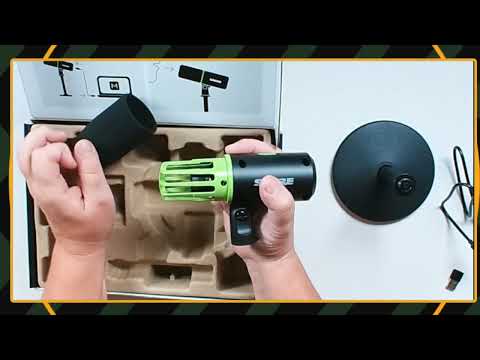
I started by assembling the desktop base. It has noticeable weight, plus a green rubberized detail on the underside. This is not one of those featherweight bases that feels like it will tip when you bump the desk. Once assembled and tightened, it felt planted.
The MV6 connects by USB-C at the rear. Shure includes a USB-C-to-USB-C cable in the box. My computer did not have an open USB-C port, so I used my own USB-C-to-USB adapter. That worked, and the mic appeared in Shure MOTIV Mix after I connected it.
That is the basic beginner-friendly win here. Connect it, open the software, choose the mic, and set your level. I made the MV6 my active microphone and watched the levels in OBS while adjusting it. No separate interface. No XLR cable. No mixer required just to get a voice signal into the computer.
The microphone also has a headphone output on the back for direct monitoring. That is a useful inclusion for a podcasting or streaming desk because you can plug into the mic itself rather than depend entirely on computer audio routing.
The desktop base and angle adjustment make sense for a fixed desk
I liked the physical setup more than I expected. The base has enough weight that it did not seem likely to fall over easily, and the mic angle is adjustable. For someone recording at a desk, that is a better starting point than a flimsy stand that needs to be replaced on day one.
There is a tightening point for adjusting the microphone position, so you can aim it toward your speaking position. I set mine at an upward angle that made sense for my desk arrangement.
One thing to plan around is cable routing. The included cable was shorter than I wanted for my own setup. I was trying to place the mic farther back and out of camera view, and the cable made that placement tight. That does not make the MV6 hard to use. It just means a longer USB-C cable may be part of the setup if your computer is farther away or you want the mic positioned well off to one side.
MOTIV Mix is the real reason to consider this mic
The hardware is straightforward. The software is where the MV6 becomes more interesting.
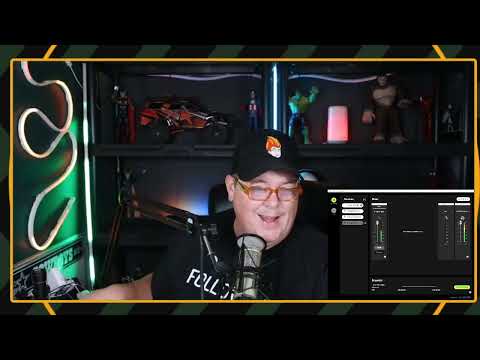
Inside MOTIV Mix, I had access to gain, auto level, tone, real-time denoiser, Popper Stopper, high-pass filter, monitor mix, mute, and direct recording. Think of it as a simplified voice-control panel instead of a wall of knobs and audio jargon. You can keep it easy with auto level and a natural tone, then make changes only when your room needs help.
I started with the tone set to natural. The software also offers a range from dark to bright. A darker setting should push the voice toward a fuller, lower character, while bright moves toward more treble presence. For my initial use, natural was the sensible middle ground.
The gain controls matter because the MV6 initially showed a hot level in OBS for me. I adjusted it down and then put it back into auto level while getting situated. That flexibility is useful: beginners can lean on automatic control, while creators who know what they want can manually set gain.
The denoiser made a visible difference in my room
I tested the real-time denoiser while an air conditioner was running about 10 feet away. With the denoiser off, I could see more activity on the meter. When I turned it back on, that activity dropped noticeably.
That is exactly the kind of problem a lot of home creators have. Not a professional studio catastrophe—just HVAC, fans, computers, and normal room noise. The denoiser will not turn a bad room into a vocal booth, but I saw it reduce the visible background-noise activity in this situation. That makes it a practical feature, not marketing clutter.
Popper Stopper is useful, but placement still matters
The MV6 has a physical pop filter at the front, and MOTIV Mix also includes a software feature called Popper Stopper. I toggled Popper Stopper while using plosive-heavy speech. There was a difference between having it off and having it on.
That extra processing is useful if you get close to the mic or tend to hit hard P and B sounds. Still, do not treat software as a license to ignore mic placement. A reasonable angle and distance remain the first line of defense. The smart play is to position the mic well, leave the physical filter in place, and use Popper Stopper as a backup tool.
The high-pass filter is there for low-end cleanup
I could select the high-pass filter off, 75 Hz, or 50 Hz. This is intended to reduce low-frequency noise such as HVAC rumble. When I switched among the settings, I could see changes in my OBS level behavior, so it is worth trying each option with your own room noise and voice.
There is no universal “best” setting. A deep voice, a desk that transmits vibration, and an air conditioner can each change the answer. The good news is that the controls are right there in the software instead of hidden behind complicated recording software menus.
+ Pros
- Weighted desktop base felt stable in use.
- USB-C connection and detection in MOTIV Mix were straightforward.
- Rear headphone output supports direct monitoring.
- MOTIV Mix includes auto level, tone, denoising, Popper Stopper, high-pass filtering, monitoring, and recording.
- The real-time denoiser reduced visible background-noise meter activity in my room.
- The MV6 continued to register my voice from relatively far away in my setup.
− Cons
- The included USB-C cable was shorter than I wanted for my desk setup.
- The touch-style mute control can be triggered accidentally while moving the microphone.
How far away can you place the Shure MV6?
I moved the MV6 relatively far away in my setup—far enough that I could barely reach it—and it still appeared to pick up my voice in OBS. I do not normally sit that far back for live streams, but it was useful to see that the mic continued registering audio at that distance.
That does not mean distance is the goal. Closer placement is generally the better way to get a more present voice and less room in the recording. But if you need to keep the microphone just outside a camera shot, the MV6 gave me some flexibility.
I did not reach a final sound-quality conclusion against my Heil PR40, so I would not buy this expecting a settled head-to-head winner. The more useful takeaway is that the MV6 gave me a workable signal, adjustable levels, and software processing from a simple desktop USB connection.
The touch mute control needs a little care
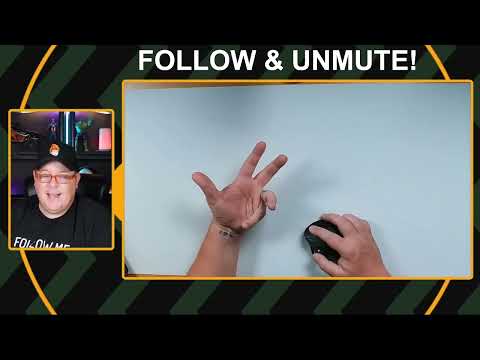
The MV6 uses a touch or sensor-style mute control rather than a conventional click-in button. I demonstrated that brushing or activating it mutes the microphone.
That is quick when you mean to mute. The downside is obvious: it can be triggered accidentally while repositioning the mic or setting it down. If you are the person who constantly moves gear around during a stream, keep your hand clear of that area. It is a small design tradeoff, but it is worth knowing before it catches you mid-sentence.
Who should buy the Shure MV6?
I would point the MV6 toward beginning podcasters, streamers, and desk-based creators who want a more guided USB microphone setup. It makes particular sense if you want direct headphone monitoring and would rather have voice tools like auto level, denoising, plosive reduction, tone adjustment, and filtering in one dedicated app.
It also fits people who value a stable tabletop base. If you do not want to add a boom arm immediately, the included stand feels like a usable part of the package rather than an afterthought.
Look elsewhere if your first priority is a long included cable for a spread-out desk, or if you strongly prefer a physical click-button mute control. Those are the two product-level compromises I ran into.
Specs
| Spec | Detail |
|---|---|
| Product | Shure MV6 USB Gaming Microphone |
| Computer connection | Rear USB-C port |
| Headphone connection | Rear headphone output |
| Included cable | USB-C to USB-C |
| Software compatibility demonstrated | Shure MOTIV Mix |
| Gain control | Manual gain and auto level options |
| Tone options | Dark, natural, and bright range |
| Noise processing | Real-time denoiser and high-pass filter options |
| Plosive control | Physical pop filter and software Popper Stopper |
| Mute control | Touch/sensor-style mute |
Scorecard
Connected and appeared in MOTIV Mix without drama.
Useful auto level, tone, denoising, filtering, and plosive controls.
The weighted base felt planted on the desk.
Adjustable, but the short cable and sensitive mute need attention.
Direct monitoring, software control, and recording cover the basics well.
FAQ
Does the Shure MV6 work with a computer that only has USB-A?
The included cable is USB-C to USB-C. I used my own USB-C-to-USB adapter because I did not have an open USB-C port on my computer, and that arrangement worked for me.
Can you monitor headphones directly from the Shure MV6?
Yes. The microphone has a headphone output on the rear for direct monitoring.
Does the Shure MV6 reduce background noise?
MOTIV Mix includes a real-time denoiser. With my air conditioner running roughly 10 feet away, I saw less background-noise meter activity when I enabled it.
Does the Shure MV6 help with popping sounds?
It has a physical front pop filter, and MOTIV Mix includes Popper Stopper processing. I heard a difference while toggling the software feature during plosive speech.
Can the Shure MV6 record without separate recording software?
MOTIV Mix includes a direct recording function. I started a recording from the software and saved the result from there.
Final take
The Shure MV6 is a solid plug-in-and-go desktop microphone with more control than its simple physical design suggests. I liked the weighted base, the easy computer connection, and the depth of MOTIV Mix. The denoiser and Popper Stopper were the standout features because I could actually see and hear why they might help in a normal home setup.
I confirmed the grid was energized while the unit was powered. Do not touch or probe the grid while it is connected to power. If those two points do not bother you, this is a capable starting mic for a podcast or stream desk.
As an Amazon Associate I earn from qualifying purchases.