Smart Glasses Review: Is the Camera Worth It?
I took the AI Smart Glasses outside and ran the camera side by side with my phone. Here's how the glasses camera actually records.
For shoppers researching smart glasses review, this review covers Smart Glasses Review: Is the Camera Worth It? and the practical details that matter before buying. This post contains affiliate links. I may earn a commission at no extra cost to you.
Quick Verdict
Push the button once for a photo, twice for video, and it goes dingy so you know it’s rolling. That’s the whole appeal here, and for a hands-free POV glasses camera it does the job. The 4K claim and the AI extras are a bigger question mark.
Buy if you:
- want a hands-free POV camera for walking, travel, or quick clips
- like the open-ear bone conduction speakers so you stay aware of surroundings
- want photo and video off a single temple button
- are curious about the AI translation and assistant extras as a bonus
Skip if you:
- wear prescription glasses, because I had to wear these over mine and it’s clumsy
- expect true polished 4K footage to rival your phone camera
- want a long shooting session on the 290mAh battery
| Camera | 4K photo & video capture |
|---|---|
| Audio | Open-ear bone conduction speakers |
| Battery | 290mAh lithium polymer |
| Connectivity | Bluetooth + companion app (Android) |
| Extras | Real-time translation, ChatGPT assistant, object recognition |
| Lens | Transparent, rectangular frame |
Smart Glasses Camera Review: Wearing It Over My Glasses
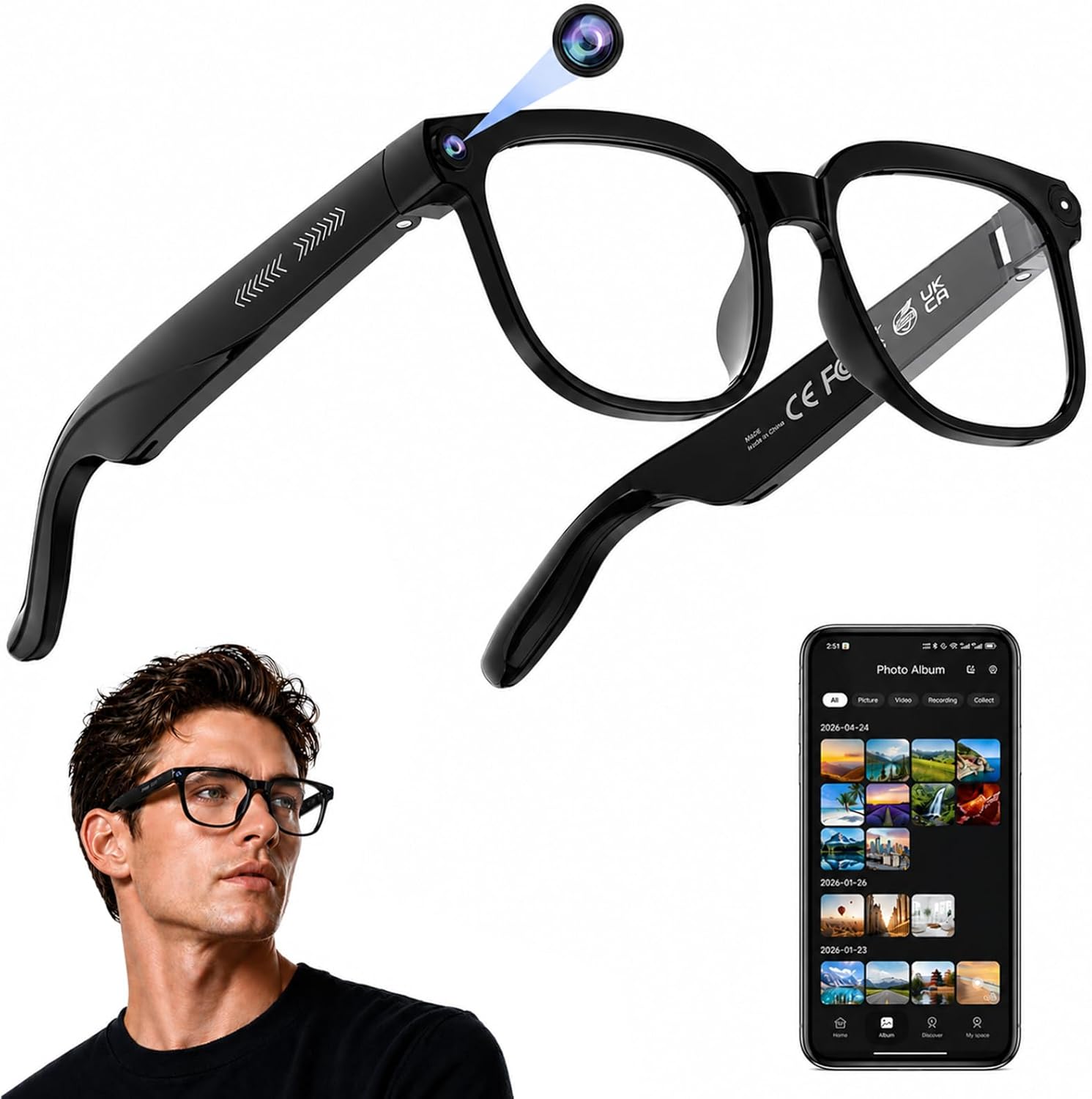
I wanted to show what this looks like outside recording, so I took the AI Smart Glasses out and just walked around with them. First thing worth saying: I’m wearing them over my regular glasses, cuz I can’t see without my glasses. That’s a little clumsy, but it worked. The whole point of a glasses camera is capturing what you’re looking at hands-free, and that’s exactly what I set out to test here.
There are little buttons up there on the temple. It’s a simple setup once you know which button does what, and most of you probably just want to record anyway.
One Push for a Photo, Two for Video
The controls come down to a couple of small buttons up top. You push the front one once and you take a picture. Push it twice and you get video. The back button handles audio, cuz there are little built-in bone conduction speakers in this thing. So it’s an open-ear setup, which means you still hear what’s around you.
It also knows when you put them on your head. It’ll make like this little noise or something when you set them on. When you double-tap to record, it goes dingy, and that’s your cue it’s probably recording this right here that I’m looking at, which is kind of cool. To stop, you just push the front button again and it goes off. On paper the spec sheet is loaded: 4K capture, a 290mAh battery, Bluetooth, and the companion app for Android. Here’s what the listing calls it in full.
The Side-by-Side Walk Test
The real test was a side-by-side at eye level: phone in hand, glasses on face, same walk, same light. Straight lines are easy for any camera. I wanted the hard version, a spin, a quick look down at the pavement, a snap back up, because that’s what your head actually does.
Does it get it when we’re spinning? Can we look down, look back up? That’s where a POV glasses camera reveals whether the footage is usable or falls apart, because your head never sits still. Walking straight is easy. The quick pans and the look-down-look-up moves are what tell you whether the footage is usable. The clip in the video shows you exactly what came off the glasses next to the phone, so you can judge the detail yourself instead of taking a spec sheet’s word for it.
That side-by-side is the whole reason I filmed this the way I did. A phone screen gives you a reference point. Without it, “4K” is just a number on a box.
Wearing Them Over Prescription Glasses Is Clumsy
I had to wear these over my regular glasses because I can’t see without them. Two frames stacked on your face is exactly as awkward as it sounds, the fit shifts, the weight stacks forward, and you look like you’re about to calibrate something. If you rely on prescription lenses full-time, that’s your daily reality with these. It’s the single most likely reason to return them, so find out before you order, not after.
Get it now
AI Smart Glasses
Get the best price on Amazon →This post contains affiliate links. I may earn a commission at no extra cost to you.

Who These Make Sense For
The sweet spot is someone who wants to capture a walk, a market, a hike, anything where pulling out your phone breaks the moment. No chest rig, no gimbal, just press twice and move. The bone conduction speakers earn their place here too: audio playback without sealing you off from traffic or conversation, which matters when you’re already relying on the glasses to see what’s around you.
You can also do a lot of other AI stuff with these, the translation and the assistant features. But most of you probably just want to record, and that’s the use case I’d buy them for. If the AI extras end up being good, treat that as a bonus rather than the reason.
What I’d Tell Someone Before They Buy
Learn the button layout first. Front button once for photo, twice for video, and listen for the dingy so you actually know it’s recording, not just think it is. That little audio cue saved me from filming nothing.
If you wear prescription glasses, sort that out before you order. Stacking these over your own frames works in a pinch but it’s not how you’ll want to live with them day to day. And keep your expectations grounded on that 290mAh battery. It’s a small cell, so plan on short recording bursts, not all-day shooting. Do the same side-by-side I did with your phone once it arrives, and you’ll know within five minutes whether the footage meets your bar.
Pros
- Simple controls: one button push for a photo, two for video
- Audible “dingy” cue tells you when recording starts and stops
- Open-ear bone conduction speakers let you hear your surroundings
- Truly hands-free POV capture while walking around
- Extra AI features like translation and an assistant on top of recording
Cons
- Clumsy to wear over prescription glasses
- Small 290mAh battery limits how long you can record
- 4K footage quality is best judged from the side-by-side, not the spec sheet
- Most people won’t touch the AI extras they’re partly paying for
Frequently Asked Questions
How do I know the glasses camera is recording?
It makes a sound, what I called a “dingy,” the moment you double-tap the front button to start video. When you push the button again to stop, it goes off with another cue. That audio feedback is how you confirm it’s rolling without a screen to look at.
Can I take photos as well as video?
Yes. Push the front button once for a photo and twice for video. Same button, different number of presses, so there’s only one control to remember for capture.
Do the glasses need an app or account to work?
They connect to a companion app for setup, file management, and feature control, and the listing lists Android as the operating system. Basic photo and video capture happens on the glasses themselves via the buttons, but for pulling files and using the smart features you’ll want the app installed.
Do they work if I wear prescription glasses?
You can wear them over your prescription glasses, which is what I did, but it’s clumsy. If you rely on prescription lenses full-time, stacking two frames isn’t ideal for daily use, so factor that in before ordering.
Can I hear audio while wearing them?
Yes, there are little built-in bone conduction speakers on board with an open-ear design. That means you can hear music or calls while still being aware of your surroundings, which is safer for walking and commuting than sealed earbuds.
How long can the battery record?
The listing spec is a 290mAh lithium polymer battery, which is small for a camera device. Plan on short recording bursts rather than continuous all-day filming, and keep a charger handy if you’re out for a while.
Is the video quality really 4K?
The listing claims 4K capture, but the number on the box tells you less than a side-by-side does. That’s why I filmed the glasses next to my phone camera, so you can judge the actual detail during a real walk instead of trusting the spec alone.
Do they really do real-time translation?
The listing advertises real-time translation and a ChatGPT-style assistant among the AI features. I focused this test on the camera, since that’s what most buyers want, so treat the translation and assistant as bonuses to verify yourself rather than the main reason to buy.
Can I use these for vlogging or travel POV clips?
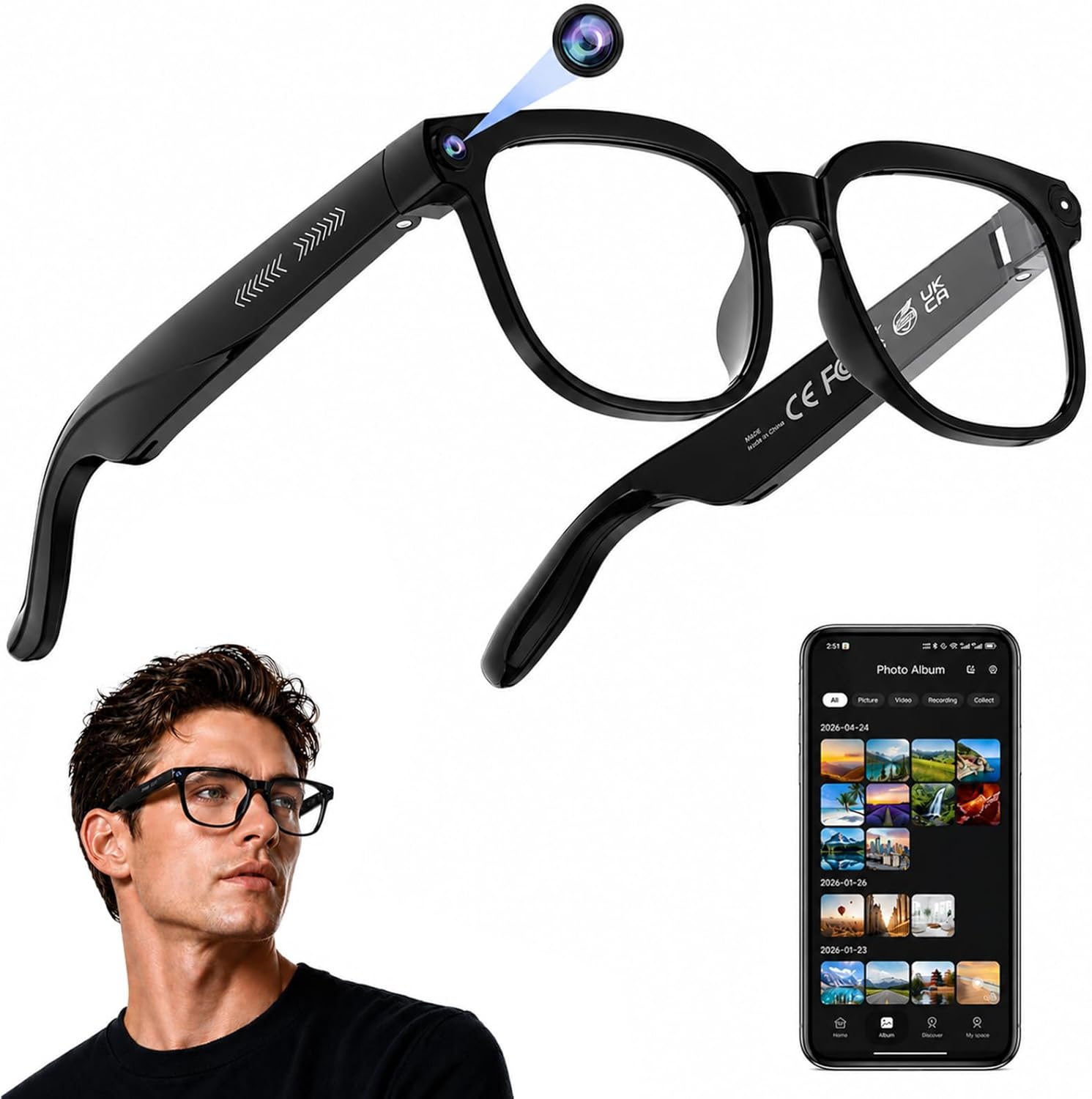
They’re built for exactly that kind of hands-free first-person capture. Walking, travel moments, quick POV shots, all work without holding a phone. Just keep the short battery and the wear-over-glasses issue in mind if you’re planning long shoots.
Clicking takes you to the seller's website. We may earn a small commission if you purchase, at no extra cost to you.
Get it now
AI Smart Glasses
Get the best price on Amazon →This post contains affiliate links. I may earn a commission at no extra cost to you.
🛍️ Shop everything in this video
Every product mentioned, in one place — these are affiliate links, so I may earn a small commission at no extra cost to you.
🛍️ AI Smart Glasses Camera — check price on Amazon →