AI Smart Glasses Review: A Camera on Your Face?
I tested the AI Smart Glasses with a built-in camera, bone conduction speakers, and one-button photo and video capture in my own backyard.
This post contains affiliate links. I may earn a commission at no extra cost to you.
Quick Verdict
One push takes a photo, a double tap rolls video, and a boom in your ears tells you it stopped. The bone conduction speakers doubling as headphones was the part I didn’t expect. My real question through the whole test was one thing: does the camera focus well enough to be worth it?
Buy if you:
- Want hands-free point-of-view capture while walking around
- Like the idea of open-ear audio you can hear surroundings through
- Travel and want the translation and AI assistant features on your face
- Prefer tapping a temple over pulling out a phone
Skip if you:
- Need dependable focus, since some camera glasses I’ve used struggle with it
- Want the camera to catch close-up things like your own hand
- Expect studio-grade audio from bone conduction speakers
| Camera | 4K video and photo capture |
|---|---|
| Audio | Open-ear bone conduction speakers |
| Battery | 290mAh lithium polymer |
| Water resistance | IP65 (per listing) |
| Connectivity | Bluetooth, companion app |
| Lens | Transparent, rectangular |
Wearable Glasses Camera and Speakers for Your Face
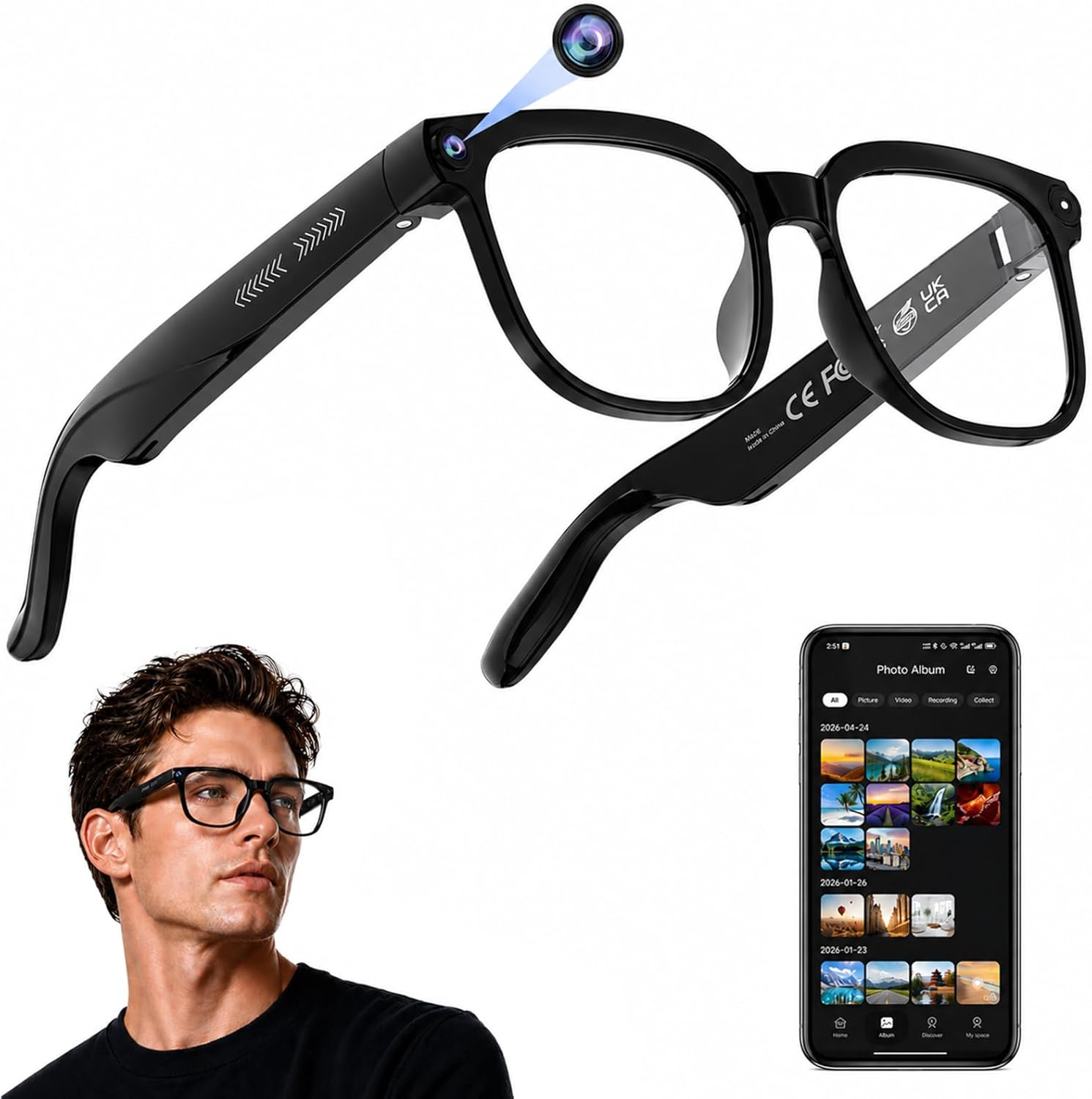
I strapped a camera to my face and hit record with a button tap, then immediately wondered if it would actually hold focus when I needed it to. That’s the pitch of the AI Smart Glasses, and the first thing you notice is what they look like: a clean transparent lens with a small button setup on the right side. My light was pushing up against them pretty hard while I filmed, but you can kind of see how they sit. What kept my attention wasn’t the AI marketing. It was whether this glasses camera does the one thing that matters, which is focus.
Two Buttons, Three Actions
The controls are simpler than I expected. There’s a button on the front of the right side. Push it once and it takes a picture. You’ll hear a little noise through the speakers letting you know it fired. Push it twice and now you’re recording video. A single tap after that gives you a boom sound and stops the recording.
There’s a second button behind it that handles volume. I pushed it and it stepped the volume up, so audio and capture live on separate controls. The speakers themselves sit toward the back near your ears and use bone conduction, so you get audible noises without anything plugging your ear canal. That means you can use these as headphones too, which is pretty wild for a pair of camera glasses.
Walking the Yard to See What It Records
Double tap starts recording. I pointed it at myself and my screen first, then took it outside to walk the yard, the only real test for a glasses camera. Then I went outside. I walked around my yard because that’s the only real way to know if a glasses camera is any good: get moving and see what the footage looks like.
I held my hand up in front of the lens and the camera didn’t register it, arm’s length, direct light, nothing. That’s the test that matters for a first-person camera, because 4K on the box means nothing if the footage can’t catch what’s happening right in front of your face. Walking the yard confirmed the same thing: resolution isn’t the problem, focus behavior is.
Focus Is the Whole Ballgame
Focus is what breaks these glasses, and it’s the first thing I went looking for, because the last pair of camera glasses I tested turned every yard shot into soft mush. So before I cared about the AI features or the bone conduction audio, I was walking around trying to make this camera fail. A pair of glasses can have 4K on the label and open-ear speakers and an AI assistant, and none of it matters if the footage comes out soft.
That’s why I kept pushing it in the yard instead of just standing still in a lit room. Real movement, changing distances, a hand waved in front of the lens. The hand not registering was the moment that stuck with me. If you’re buying these to document travel or vlog hands-free, that’s the behavior you want to understand going in, because it tells you how the camera decides what to lock onto.
Get it now
AI Smart Glasses
Get the best price on Amazon →This post contains affiliate links. I may earn a commission at no extra cost to you.

Who These Make Sense For
These fit the person who wants to capture a point-of-view moment without holding a phone up. Think a walk, a bit of travel, a hands-free clip while you’re doing something with your hands. The open-ear audio is a genuine bonus here because you can pipe in music or a call and still hear the world around you, which matters if you’re moving around outside.
The AI translation and ChatGPT assistant are unverified extras, I didn’t test them and neither should you be banking on them. What you’re actually buying is a bone conduction headphone with a 4K-labeled camera that can’t catch your own hand. That’s a specific, narrow use case: outdoor POV footage at distance, not close-up documentation of anything in front of you.
What I’d Tell Anyone Before Buying
Learn the button rhythm first. One push is a photo, two pushes starts video, one tap stops it with a boom. Get that down before you try to film anything real, because in the moment it’s easy to end a recording when you meant to start one.
And set your expectations on the camera. Go in curious rather than certain about the footage quality, test the focus yourself early with the return window open, and check how it handles close subjects since mine didn’t pick up my hand. If the footage works for what you’re shooting, the rest of the package is a nice bonus.
Pros
- Dead simple controls: one push photo, double tap video, single tap stop
- Bone conduction speakers let you use them as open-ear headphones
- Audible feedback so you know when a photo or video fired
- Separate button for volume, so audio and capture don’t fight each other
- Hands-free point-of-view capture without pulling out a phone
Cons
- The camera didn’t pick up my hand held in front of the lens
- Focus is the exact area I’ve seen these glasses struggle with
- Bone conduction audio won’t match real headphones for richness
Frequently Asked Questions
How do you take a photo versus a video?
Push the front button once for a photo, twice to start a video. A single tap while recording stops the video and you’ll hear a boom. The volume sits on a separate button behind it.
Do the glasses really work as headphones?
Yes, the speakers near the back use bone conduction to make audible sound without plugging your ears. That means you can hear music or audio while staying aware of your surroundings. It’s open-ear, so don’t expect the isolation of earbuds.
Does the camera focus well?
Focus is the exact thing I set out to test, because some camera glasses I’ve used don’t focus well. I’d verify it yourself early, since mine didn’t pick up my hand held in front of the lens. Test it with the return window open.
Does it need an app to work?
The listing says the glasses connect to a companion app for setup, file management and feature control. Basic photo and video capture runs off the physical buttons. For pulling files off and managing settings, plan on the app.
What’s the battery like?
The built-in battery is listed at 290mAh lithium polymer. That’s a small cell, so heavy recording or long audio sessions will drain it faster than light photo use. Charge it fully before a day out.
Can I wear them in the rain?
The listing rates them IP65 for protection against sweat, rain and dust. That covers everyday splashes and weather, not submersion. I wouldn’t take them swimming or hold them under a tap.
Will the camera catch close-up objects like my hands?
In my test it didn’t see my hand held in front of the lens. So close subjects at arm’s length or nearer may not register well. If you plan to film things right in front of you, test that specific case first.
Do these work for real-time translation like the listing claims?
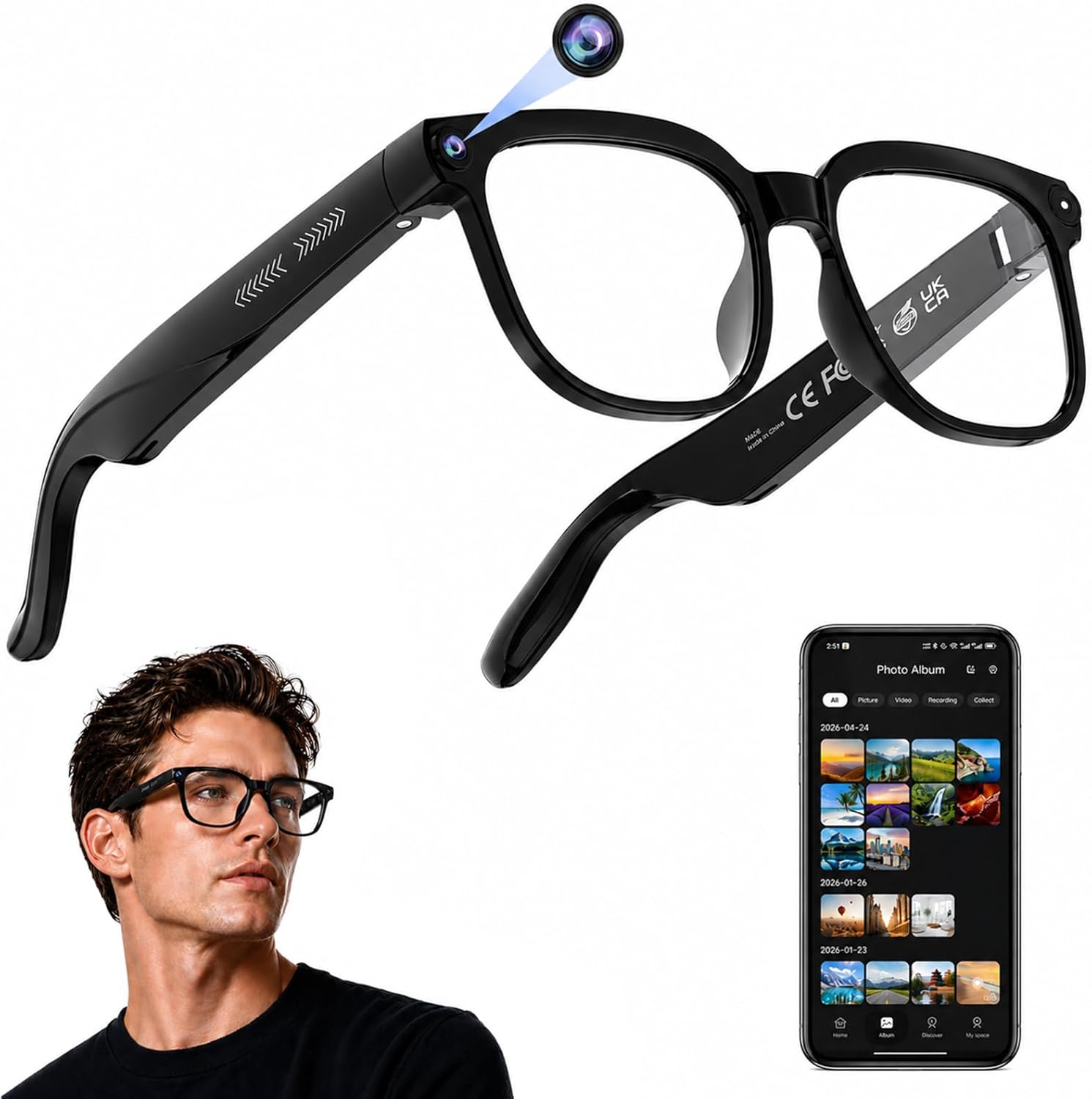
The listing markets AI real-time translation and a ChatGPT assistant, but I focused my test on the camera and audio hardware. Treat translation as a feature to try, not a guaranteed replacement for a dedicated tool. Confirm it does what you need before relying on it for travel.
Clicking takes you to the seller's website. We may earn a small commission if you purchase, at no extra cost to you.
Get it now
AI Smart Glasses
Get the best price on Amazon →This post contains affiliate links. I may earn a commission at no extra cost to you.
🛍️ Shop everything in this video
Every product mentioned, in one place — these are affiliate links, so I may earn a small commission at no extra cost to you.
🛍️ AI Smart Camera Glasses with Built-in Camera — check price on Amazon →