ONNAIS Wall Mount Gun Lock Review: Quick Access, Smart Setup
The ONNAIS GL-001 wall-mount trigger lock gives you PIN, fingerprint, and key access in a compact vertical storage format. Setup works, but read the timing steps first.
Affiliate disclosure: As an Amazon Associate I earn from qualifying purchases. This article may contain affiliate links, which means I may earn a commission at no extra cost to you.
The ONNAIS wall-mount gun lock is a good idea executed in a fairly simple package: secure the trigger area, get the firearm up off the floor, and keep several access methods available. I successfully set a new PIN, enrolled two fingerprints, used the lock with both fingerprints, and muted its audible feedback. That is the core experience, and it worked.
A practical wall-mount trigger-lock option if you want PIN, fingerprint, and backup-key access in one compact setup. I found the programming straightforward once I followed the timed setup sequence, but confirm fitment and mount placement for your specific firearm before buying.
As an Amazon Associate I earn from qualifying purchases.
| Access methods | PIN, fingerprint, or mechanical key |
|---|---|
| Power | USB-C rechargeable |
| Mount format | Wall-mounted trigger lock with separate butt support |
| Default PIN | 12341; change during setup |
| Included items | Lock, support mount, keys, mounting hardware, USB-C cable, manual |
| Model | GL-001-Wall Mount-2, Black |
This is for firearm owners who specifically want a wall-mounted trigger-lock format rather than another case, cable lock, or large safe. The separate lower support gives a longer firearm a place to rest at the butt end while the main lock handles the trigger-area retention. It is a vertical-storage approach. Simple, space-conscious, and potentially useful if floor clutter is the problem.
What I liked about the access options
The big strength here is redundancy. You can unlock it with a PIN, an enrolled fingerprint, or one of the included mechanical keys. That matters because electronics are convenient right up until you forget a code or need to deal with a discharged battery.
I started with the default code, 12341, and removed the locking piece. The removable section is designed to go over the trigger area; once engaged, it prevents the lock assembly from simply pulling away. From there, I changed the default PIN to a new five-digit code and confirmed that the new code unlocked the unit.
Fingerprint setup also worked for me. After entering the new PIN and using the add control, I enrolled one finger by placing it on the scanner four times. I then unlocked the lock with that finger. I repeated the process with a second finger and got the same result. For a product like this, that is exactly what I want from the basic controls: set it up, use it, and have it respond without drama.
The manufacturer describes this product family as the Defender SE Wall Mount, and it lists fingerprint, keypad, and key access as its three entry methods. That matches the functions I used.

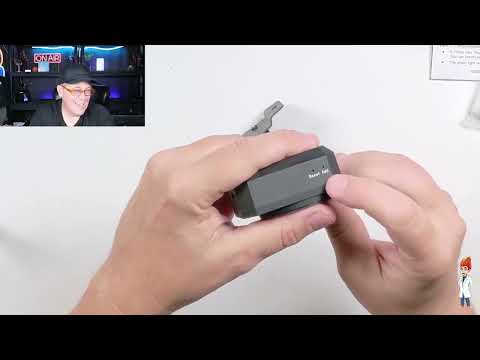
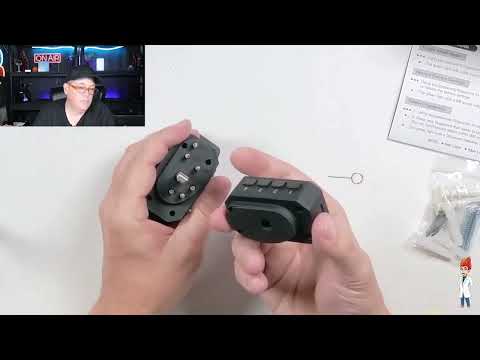
Setup is easy, but the sequence matters
This is not a product where I would toss the manual aside immediately. The process is manageable, but there is a timing requirement. After unlocking the lock, I had to use the add control within 60 seconds to change settings or enroll a fingerprint. Miss that window and you are starting that part again.
Changing the PIN follows a particular order: unlock the unit, use the add control, enter the new code, press reset, enter the code again, and press reset again. The PIN needs at least five digits; I used a five-digit code successfully. Once I followed the order, it was fine. The first time through, though, it is worth slowing down for about a minute. Fast product, slightly fussy programming sequence.
Fingerprint enrollment also begins with the lock unlocked using the numeric password. In other words, fingerprint access is not the first thing you set up. Establish and remember your PIN first. That is sensible, but it is important for a new owner to know before expecting to go fingerprint-only on day one.
USB-C charging and silent operation
There is a USB-C charging port on the side, along with the reset and add controls. USB-C is the right call here. It is common, reversible, and easier to live with than hunting for a proprietary cable years from now.
ONNAIS says the lock has a built-in 1200 mAh lithium battery. The company states typical standby life is three to five months or roughly 2,000 unlocks, and it recommends charging every two months. I did not run it for months or measure recharge time, so treat those as manufacturer battery figures rather than my long-term results.
I also tried the mute feature. By holding the reset control for about three seconds, I turned off the audible feedback. I then unlocked the unit without sound. That is useful if you do not want keypad tones or confirmation beeps in the room. The tradeoff is obvious: when muted, you also lose the sound-based confirmation that the lock has registered an action. Pick the mode that makes sense for your household and storage area.
The backup keys are useful, if a little tiny
Two folding backup keys are included. They are there for the situations nobody plans for: the code is unavailable, the battery is dead, or electronic access is otherwise not an option. Keep them stored securely and separately from the lock.
My only real annoyance was the keys themselves. They fold, which is neat for storage, but their small size made them harder for my fingers to grab and unfold. Not a deal-breaker. Just not my favorite key design.
+ Pros
- PIN, fingerprint, and mechanical-key access options
- I successfully changed the default PIN and unlocked the lock with the new code
- I enrolled and used two fingerprints successfully
- USB-C rechargeable design
- Audible feedback can be muted for quiet operation
- Separate butt-rest support suits a vertical storage layout for longer firearms
− Cons
- Small folding backup keys can be difficult to grab and unfold
Wall-mount format: who this makes sense for
The main reason to choose this model is the format. Instead of treating the lock as a loose accessory, this system is intended to mount to a wall. The main assembly sits around the trigger area, and the separate support mount is intended to support the butt end of a longer firearm.
That can be a smart organizational move. It can get a firearm off the floor and allow higher placement where appropriate. But this is not a one-size-fits-all promise. Before buying, make sure the trigger-area geometry and the overall firearm shape work with this style of lock and support. Placement matters too: choose a suitable mounting surface and use the supplied hardware only where it is appropriate for that surface.
The retailer listing says the lock works with various firearm types and wall materials, and it lists a 508-DPI biometric sensor with storage for up to 50 fingerprints. I did not install this unit on a wall or fit it to a firearm, so I would treat those as listing claims to verify against your specific setup, not universal guarantees.
Construction and included hardware
The package includes mounting hardware, the trigger lock, the separate gun-rack support, a USB-C cable, a manual, and two backup keys. ONNAIS lists aluminum construction, specifically describing aircraft-grade cast aluminum on its product page. The retailer identifies this black version as model GL-001-Wall Mount-2 and lists a two-year manufacturer warranty.
I like that the concept is complete in one box. You are not buying the main lock and then discovering you need a separate butt support for the vertical setup. The hardware was included, and the lower support makes the wall-mount design make more sense for longer firearms.
Specs
| Spec | Detail |
|---|---|
| Product type | Wall-mount gun trigger lock |
| Access methods | Fingerprint, keypad/PIN, and mechanical key |
| Charging | USB-C rechargeable |
| Battery | Built-in 1200 mAh lithium battery (manufacturer claim) |
| Construction | Aircraft-grade cast aluminum (manufacturer claim) |
| PIN length | 5 to 20 digits |
| Fingerprint capacity | Up to 50 fingerprints (retailer claim) |
| Included backup keys | Two folding mechanical keys |
| Color | Black |
| Warranty | Two-year manufacturer warranty (retailer listing) |
What to consider before you buy
This is best viewed as a quick-access locking and organization product, not a substitute for thoughtful storage planning. Use it as part of a responsible storage routine, keep access credentials controlled, and keep the backup keys away from unauthorized users.
I would also decide before installing whether you want audible feedback. Silent operation is a real feature, and I confirmed it works, but some people will prefer the beeps because they provide immediate confirmation during setup and unlocking.
Finally, give yourself a calm first setup. Change the default code right away, practice the PIN sequence, enroll the fingerprints you intend to use, and put the backup keys somewhere secure. The product is more straightforward after that initial learning curve.
Scorecard
PIN, fingerprints, and backup keys provide useful redundancy.
It worked for me, but the timed programming sequence needs attention.
I enrolled and unlocked with two fingers successfully.
Vertical wall format is practical for owners who want to clear floor space.
The compact folding backup keys are awkward for larger fingers.
FAQ
Can the ONNAIS wall-mounted lock be opened without a fingerprint?
Yes. I used the PIN keypad successfully, and the lock also includes two mechanical backup keys. ONNAIS describes fingerprint, PIN, and key access as the three available methods.
Can you turn off the sound on this lock?
Yes. I held the reset control for about three seconds and muted the unit. It then unlocked without audible feedback.
Does it use a replaceable battery?
This model has a USB-C rechargeable design. ONNAIS lists a built-in 1200 mAh lithium battery. The company recommends charging every two months, though I did not test long-term battery life.
Is the PIN hard to change?
It is not hard, but you need to follow the sequence. After unlocking, use the add control within 60 seconds, enter the new PIN, press reset, enter the PIN again, and press reset again. I successfully changed the default code and unlocked it with the new one.
Will it fit every firearm?
Do not assume that. The listing makes broad compatibility claims, but trigger guards and overall firearm shapes vary. Check your specific fitment and your intended wall placement before purchasing.
Final recommendation
I would recommend the ONNAIS Wall Mount Gun Lock to someone who wants a compact, wall-based trigger-lock setup with multiple ways to get in. The PIN worked, fingerprint enrollment worked with two fingers, the backup keys are there, and silent operation is available when you want it.
The only minor complaint I had was the small folding backup keys. Otherwise, this is a practical design with a clear job: provide controlled access while moving a longer firearm into a more organized vertical storage position. Just take the fitment and mounting decisions seriously, and take a few minutes to learn the setup flow before relying on it.
As an Amazon Associate I earn from qualifying purchases.