HuaerHui Clip On Ring Light with Cell Phone Holder Stand Review
A hands-on look at the HuaerHui clip-on dual ring light with phone holder, gooseneck arms, and USB power for desk product videos and live streams.
This post contains affiliate links. As an Amazon Associate, we earn from qualifying purchases at no extra cost to you.
Quick Verdict
I pushed both lights straight down over a product and thought “that is so cool” out loud. This dual ring light clamps to a desk, bends on a 25.6-inch gooseneck, and swaps between a phone holder and a webcam mount, and it changed how I light my desk product videos.
Buy if you:
- Shoot top-down product videos and need two lights pointing straight down
- Live stream from a desk and want the lights aimed up at your face
- Have USB outlets or a battery bank nearby to power it
- Want to swap between a phone and a webcam on the same mount
Skip if you:
- Expect the base to lock down solid, the screw never fully tightens and stays a little wobbly
- Only have one free USB port, each light needs its own
- Hate micro USB and want USB-C for the lights
Clicking takes you to the seller's website. We may earn a small commission if you purchase, at no extra cost to you.
| Gooseneck arm | 25.6 in (65 cm), bendable |
|---|---|
| Phone holder | Expands 2.28 in to 3.5 in wide |
| Clamp opening | Up to 2.75 in (7 cm) |
| Power cable | 78.74 in (2 m) USB, 5V |
| Light modes | 3 modes, 10 brightness levels |
| Weight | 1.2 lb |
| Warranty | 1 year (HuaerHui) |
Ring Lights Pushed Down Over Products Sold Me
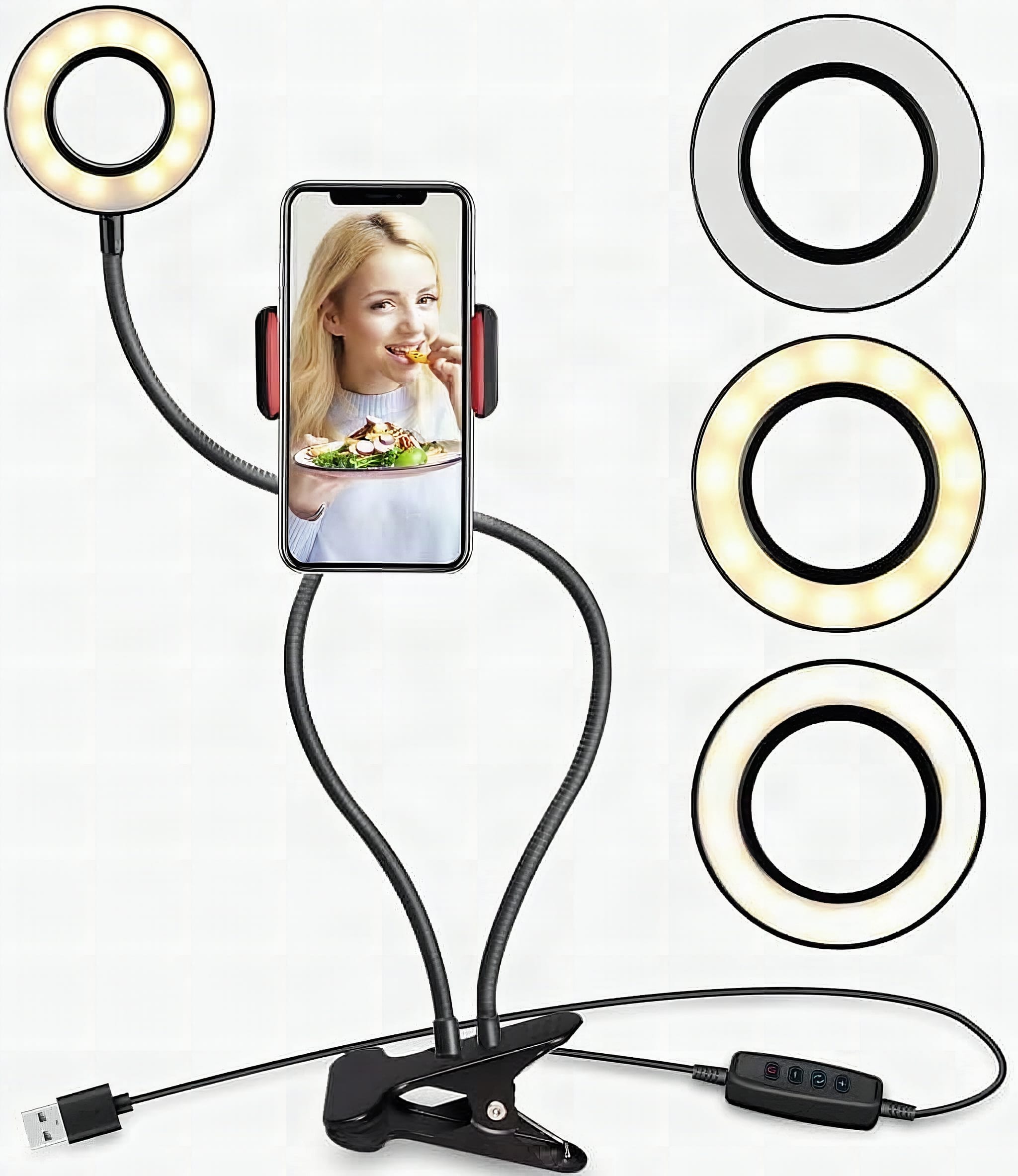
The moment this ring light setup clicked for me was when I bent both arms straight down and put the camera right on top of a product. That is so cool. Right now I’m recording using a tripod with my phone on it, and this would really change a lot of that. If you shoot desk product videos or run live streams, this dual ring light with stand gives you two lights on one clamp instead of one flat panel that only points one way.
It’s the HuaerHui clip-on 3.5-inch ring light, and it comes as two ring lights on flexible gooseneck arms that screw into a single base. You clamp the whole thing to a desk, a headboard, a nightstand, whatever, and go. Let me show you how it goes together and where it shines.
What’s in the Box and How It Screws Together
The box includes one screw and an Allen wrench, that’s the entire tool kit. Soft pad faces down against your desk, hard plate faces up, screw goes through the base and hand-tightens. The whole base assembly takes under two minutes; the only catch is that the screw never fully cinches, which I’ll get to later.
Here’s the spec rundown. Each gooseneck arm is 25.6 inches (65 cm) so you’ve got real reach to bend the lights over a subject. The phone holder expands from 2.28 to 3.5 inches wide, so most phones drop right in. The clamp opens up to 2.75 inches (7 cm) to grip a desk edge. Power runs over a 78.74-inch (2 m) USB cable at 5V, no battery needed. There are 3 light modes and 10 brightness levels per mode. The whole thing weighs 1.2 pounds and carries a 1 year warranty.
Once the base is on, you screw the two lights onto the arms as tight as you want them. Both of them went on there tight for me. From there you can bend the arms however you want to bend them, and there’s a lot you can do.
The Lights Are Really Good, and You Can Change Colors
Cranking one light to its top brightness level is enough to wash a small desk product in even fill light, no shadowy hot spots, no flicker. Each light has its own button that cycles through cold, mixed, and warm modes, then steps brightness up or down across 10 levels, so you can match them to each other or deliberately mismatch for a key-and-fill look.
The flexibility is where it really comes into its own. For a product video I can push both lights straight down and drop the camera right on top of the subject. For a face-to-camera live stream you point the lights up at yourself. Going live on Instagram or TikTok? Aim them up. Each light has its own button so you’re not stuck running both at the same level.
The Base Never Fully Tightens
The base screw would not go any tighter no matter what I tried. I got it started, then kept turning, and it just stopped, still with a little movement in it. My first reaction was uncertainty, then I figured this is probably meant to move around so you can get different angles. Maybe that’s part of the function.
Bottom line: the base moves. Not enough to send your lights crashing, but enough that the whole rig shifts if you brush an arm mid-shoot. If you’re mounting this over a flat-lay and need the framing to stay locked between takes, that play will cost you.
Get it now
HuaerHui Dual Ring Light
Get the best price on Amazon →This post contains affiliate links. As an Amazon Associate, we earn from qualifying purchases at no extra cost to you.

Powering It Takes Two USB Ports
Both lights are USB, so you’ll need two USB outlets somewhere to run them. Heads up, they’re not USB-C, they’re micro USB on the light side. I plugged one into a wall outlet that takes USB, then wondered if the second cord would reach another outlet. I snorted, said let’s see, and it did reach. Then I could turn on both of them full blast.
The 2 m cable gives you room to work, and since it’s 5V USB you can run it off a desktop, a laptop, a battery bank, or a phone charger with an adapter. No battery to charge, which I like for a permanent desk setup. Just plan your outlet situation before you commit to a spot.
Who This Ring Light Setup Is For
This is a desk creator’s tool. If you make product videos and want two lights raining down from above, this beats a single flat panel. If you live stream from a seated desk position and want soft light on your face, the gooseneck arms let you park the lights right where you need them.
The mount swaps too. There’s one connection for a webcam or regular cam and one for cell phones. You pop the phone holder off, put the ring over the ball head, push it over and tighten it all the way down. The flexibility really comes into it there. And the spots on both lights can take other accessories, so you could screw in a tripod holder, a phone holder, or a webcam holder and run extra cameras. That part is really intriguing to me since I’ve got lots of little webcam holders lying around.
Advice Before You Clamp It Down
Tighten the phone holder ball head all the way, there’s no reason not to. The whole point of the ring-over-ball design is the swivel range, and it only holds your angle if you snug it down. A loose ball head means your phone drifts mid-shoot.
Plan your two USB ports first. Nothing kills momentum like getting everything bent perfectly and realizing you’re one outlet short. And accept the base play, it’s meant to move for angles, so don’t fight the screw expecting it to go dead solid. Use the cable organizers in the box if you want to keep the desk tidy, and you’re set.
Pros
- Two lights on 25.6-inch goosenecks bend anywhere, including straight down for top-down product shots
- Light output is really good with 3 color modes and 10 brightness levels each
- Each light has its own control button so you can set them independently
- Swaps between a phone holder and a webcam mount, plus extra accessory screw points
- USB powered off any 5V source with a 2 m cable, no battery to charge
Cons
- Base screw never fully tightens and keeps a little play
- Needs two separate USB ports, one per light
- Lights use micro USB, not USB-C
Frequently Asked Questions
What devices can power the ring light?
Anything with a 5V USB port. That means a desktop, laptop, battery bank, wall outlet with a USB port, or a phone charger with a USB adapter. There’s no battery inside, so it has to stay plugged in while you use it.
Does it need an app or account to work?
No. There’s no app, account, or subscription. Each light has a physical control button for power, mode, and brightness, so you plug in and press the button. Nothing to pair or sign into.
Will my phone fit the holder?
Most phones will. The clip expands from 2.28 to 3.5 inches wide, which covers the majority of smartphones. You can mount it horizontally for sideways filming or vertically for going live.
Can I use a webcam instead of a phone?
Yes. There are two mount connections, one for a webcam or regular cam and one for cell phones. You swap out the phone holder and attach the webcam mount, and there are extra accessory screw points if you want to add more holders.
How do I get the lights to point straight down?
Bend the gooseneck arms downward. Each arm is 25.6 inches and bends and holds, so you can point both lights right over a product with the camera on top. That top-down setup is what makes this good for desk product videos.
Where can I clamp it besides a desk?
The clamp opens up to 2.75 inches and grips a headboard, nightstand, end table, kitchen counter, sideboard, poles, stands, or pipes. Anywhere that fits inside the clamp opening works to free up your hands.
Is the light bright enough for filming?
Yes for close desk work. Turned all the way up, both lights put out plenty for product shots and face-lit streams at desk distance. With 10 brightness levels per mode you can dial it down when full blast is too much.
What warranty comes with it?
It carries a full 1 year HuaerHui warranty. There are no firmware updates or software involved since it’s a plug-in LED light, so support is just the standard warranty on the hardware itself.
Can I run just one light at a time?
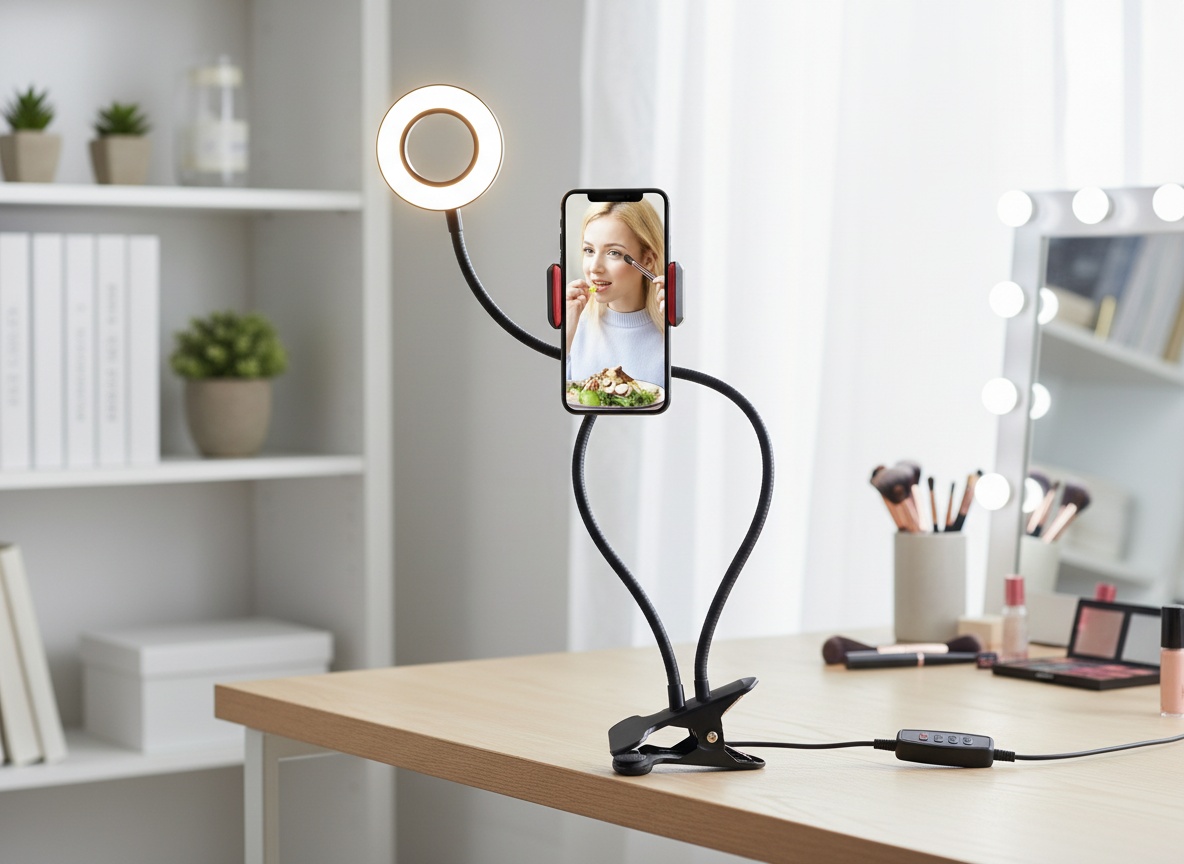
Yes. Each light plugs in and switches on separately with its own button, so you can run one or both. Handy if you only have one free USB port or only need key light from one side.
Get it now
HuaerHui Dual Ring Light
Get the best price on Amazon →This post contains affiliate links. As an Amazon Associate, we earn from qualifying purchases at no extra cost to you.
🛍️ Shop everything in this video
Every product mentioned, in one place — these are affiliate links, so I may earn a small commission at no extra cost to you.
🛍️ Dual Ring Light Stand Set — check price on Amazon →
🛍️ Ring Light with USB Power — check price on Amazon →
🛍️ Phone Holder Mount for Ring Light — check price on Amazon →
🛍️ Webcam Mount Adapter — check price on Amazon →
🛍️ Tripod Phone Holder — check price on Amazon →
🛍️ Cable Organizers — check price on Amazon →
🛍️ USB Charging Outlet/Hub — check price on Amazon →