Wallet Tracker Card Review: Easy Android Setup?
The UQO T2 wallet tracker card paired quickly with Google Find Hub in my hands, rang on command, and fits the simple lost-wallet use case well.
Affiliate disclosure: As an Amazon Associate I earn from qualifying purchases. This article may contain affiliate links, which means I may earn a commission at no extra cost to you.
A wallet tracker card needs to handle one basic job without adding a lot of friction: help me find the wallet I set down and forgot about. I paired the UQO T2 wallet tracker card with my Android phone through Google Find Hub, used its Play sound control, and saw its blue light during the alert. The practical appeal is clear. It has roughly the footprint of a credit card, so it makes more sense in a wallet than a round key finder would.
The important qualification is thickness. This is card-shaped, but it is a little thicker than a standard credit card. That will be no issue in some wallets and an important fit question in very slim ones. In my setup, though, the central experience was refreshingly simple: turn it on, follow the Android prompt, let Google Find Hub add it, and use the app when I need to locate the item.
A straightforward wallet tracker card for Android users who want quick Google Find Hub pairing, a working sound alert, and Qi charging without a subscription. Just remember that it is thicker than a normal card, and confirm Apple compatibility for your phone before buying.
As an Amazon Associate I earn from qualifying purchases.
Who this wallet tracker card is for
This wallet tracker card is for the person who does the pocket pat-down before leaving the house: phone, keys, wallet—and then has to work out where the wallet went. It can sit in a wallet, but the same flat format can also suit a purse, backpack, or another carried item. The useful distinction is that the card is intended to stay inside something you carry rather than hang prominently from it.
I think its strongest fit is an Android user who wants a card-style tracker connected through Google Find Hub instead of learning a separate tracking system. The Android phone already provided the connection prompt in my hands-on setup, and Google Find Hub gave me the controls I would expect to use: find nearby, play a sound, name the item, choose a category, and review ownership settings.
It also makes sense for someone who prefers a rechargeable tracker. The T2 is described as Qi-wireless rechargeable, so the stated routine is to place it on a compatible Qi charging base when the app says it needs a charge. That differs from planning around a disposable battery replacement. I did not conduct a battery-runtime, charging-time, or long-term charging test, so I cannot put a useful number on how long it lasts between charges.
Apple-phone use was mentioned for this product, but my actual setup was on Android. If you are shopping specifically for an iPhone, treat the card format and rechargeability as reasons to investigate it, not as a substitute for confirming the current Apple compatibility and setup instructions for your phone.
| Best for | Wallet, purse, or backpack tracking |
|---|---|
| Phone setup tested | Android with Google Find Hub |
| Alert | Remote beeping sound with blue status light |
| Charging | Qi wireless charging described |
| Subscription | None required in my setup |
My UQO T2 setup experience with Google Find Hub
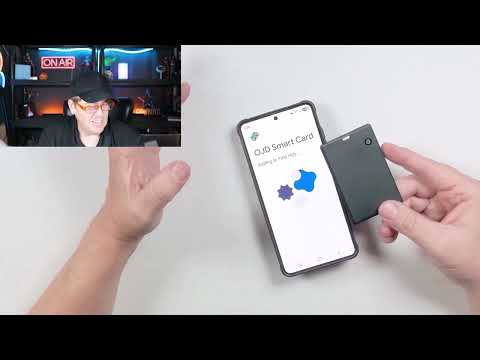
Setup was the best part of this experience. When I turned the card on, I heard it make a noise. My Android phone then promptly displayed a connection prompt. I followed that prompt, allowed nearby-device access, and connected the tracker through Google Find Hub.
That sequence matters because a tracker is only helpful after it has been added to the phone and account you will actually use to find it. Here, the phone did not leave me hunting through menus before the product made itself known. I still had to approve the relevant access and complete the app steps, but those are normal parts of connecting a nearby device. Once the card was in Find Hub, it became an item I could manage from the app rather than an unpaired card sitting in my wallet.
There is one naming wrinkle worth calling out. Google Find Hub displayed the device as OJD smart card, even though I refer to it as the UQO T2 wallet tracker card. That did not interfere with the connection, but it is useful context if you see that name on your own phone and wonder whether you selected the wrong item. In my case, that was the tracker I had just activated and paired.
After connection, I could give the item a name. I could call it wallet if that is where I planned to keep it, rather than leave a generic device name in the app. I also saw category selection and ownership settings. Those are small controls, but they make the tracker easier to recognize later, especially if I eventually manage more than one item in the same app.
The setup did not feel overbuilt. I turned the tracker on, responded to the phone’s prompt, allowed the nearby-device permission, and finished the connection in Google Find Hub. For an Android buyer who wants a familiar app path rather than an extra subscription step, that directness is a real benefit.

Can you actually make it ring?
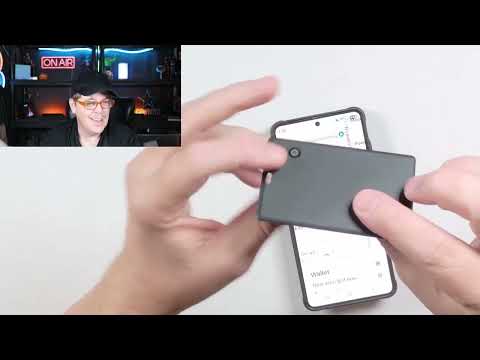
Yes. I selected Play sound in Google Find Hub and heard the card beep. A small blue light came on while the sound was playing. I had not expected the visible light, and it is a genuinely helpful extra cue when the wallet is close enough to search visually as well as by ear.
I could stop the sound from the app. Pressing the card also stopped the alert. That gives me two practical ways to end the beeping once I have located the item: use the phone in my hand or interact with the card after reaching it. The feature is uncomplicated, which is exactly what I want from a lost-wallet tool.
The sound alert is most relevant to the ordinary nearby misplacement: a wallet between couch cushions, beneath a stack of mail, in the wrong bag, or left in a room I have already checked too quickly. In those situations, the audible alert can turn a broad search into a focused one. The blue light can help when the card is partially visible or when I am looking into a dark pocket or compartment.
I also saw a Find nearby option. The app described it as providing hints that change as I approach the device. That is a different type of help from simply making the card beep. If I know the item is around but cannot immediately see it, proximity guidance gives me another way to narrow the search. I did not measure its distance performance or test it across different buildings, rooms, or obstructions, so I cannot offer a real-world range claim.
How map location fits into the search
Google Find Hub can show the item’s location on a map. That is useful when the card is not right in front of me and I need an indication of where to start looking. But I would treat that map position as a useful lead rather than a pin-perfect promise. I noted that the location is approximate to some degree, and that is the right expectation for a tracker of this type.
In other words, the tools solve different parts of the same problem. A map can help point me toward the general location of the carried item. Find nearby can help as I approach it. Play sound and the blue status light help with the final, close-range search. I like that those options are available from the same app interface, but I would not buy it on an assumption of exact map accuracy or unlimited network coverage. I did not test those conditions.
That distinction also keeps expectations sensible. The card is a tracker for belongings, not a dedicated real-time safety device. A child’s backpack was suggested as one possible placement, but I would regard that as an extra way to locate the bag in an emergency—not a replacement for supervision or for a device selected specifically for real-time safety needs. The app’s approximate location language matters here.
The card format is useful, with one obvious tradeoff
The UQO T2 is roughly the size of a credit card. That is why this style of tracker works for a wallet. A round key finder can be a natural choice on a key ring, but it creates an awkward lump in a card slot. A flat tracker card belongs in a different kind of everyday carry setup.
Still, “credit-card sized” does not mean “identical to a credit card.” I found the T2 somewhat thicker than a standard card. Buyers with an ordinary multi-card wallet may simply make room for it. Buyers with an extremely tight minimalist sleeve should think through where it will sit before ordering. It could take the place of one card in a slot, but the additional thickness is the product-level tradeoff I would keep in mind.
The form factor also broadens the possible placements. Wallet is the obvious one, but I can see the same card in a purse, work bag, camera bag, or backpack—items that are easy to set down and harder to remember later. The app’s custom name and category options become more useful when the item is not literally a wallet. Naming it for the bag or item it lives in makes the Find Hub list easier to scan.
The transcript also mentioned putting it with keys or on a lanyard. I did not evaluate a direct attachment method, and I cannot say whether that arrangement requires a separate holder or accessory. For me, the strongest reason to choose this specific format remains the flat storage use case: a wallet or another bag compartment where a thicker credit-card-shaped device is still more practical than a rounded tracker.
Charging and subscription expectations
The T2 is described as using Qi wireless charging. The stated approach is simple: place it on a Qi wireless charging base when the app tells you it needs power. For buyers tired of keeping replacement coin batteries on hand, that is an appealing design choice. It turns maintenance into a charging reminder rather than a battery purchase and swap.
I want to be precise about the boundary of my experience. Qi charging was described, but I did not run the card through a full charging cycle, measure charging speed, or test how long it runs after charging. I also did not assess long-term battery health. Those are meaningful ownership questions, so I would not infer a runtime from the fact that charging is wireless.
No subscription service was required in my setup. That is valuable clarity for the core use case: pairing the card, opening Find Hub, and using the available item controls did not send me through a subscription enrollment step. It does not turn the tracker into a guarantee of every location scenario, but it does keep the basic ownership model straightforward.
+ Pros
- Quick Android pairing through Google Find Hub
- Audible Play sound alert worked in my hands-on use
- Blue status light provides an extra nearby visual cue
- Card-style shape suits wallet use
- Qi wireless charging is described, avoiding disposable battery replacement
- No subscription service was required in my setup
- Custom item name and category settings in the app
! What to know
- The card is somewhat thicker than a standard credit card, which may matter in very slim wallets.
- Map-based location is approximate to some degree.
- Google Find Hub displayed the tracker as “OJD smart card” during my Android setup.
- Apple compatibility was mentioned, but I only performed the setup on Android.
UQO T2 wallet tracker card: buying decision
If you use Android and want a wallet tracker card that enters Google Find Hub quickly, this one makes a solid case. I connected it promptly, triggered its sound from the app, saw the blue status light, stopped the alert, and saw practical item-management controls. Those are the everyday details that determine whether a simple tracker will be easy to live with.
The buying decision comes down to fit, ecosystem, and expectations. First, make sure your wallet can tolerate a card that is thicker than normal. Second, Android is the setup path I actually used; iPhone buyers should independently confirm the applicable Apple setup. Third, buy it for the supported basics: a card-shaped tracker, app-based sound alert, nearby guidance, map display that is approximate to some degree, and described Qi charging.
I would not buy any tracker based on assumptions about exact map position, long-distance network results, battery runtime, water resistance, durability, or years of reliability. I did not test those areas. What I can say with confidence is narrower and more useful: the Android pairing was simple in my hands, the card showed up in Google Find Hub as “OJD smart card,” and the play-sound function worked with a visible blue light.
That makes the UQO T2 a practical choice for someone whose main lost-item problem is local and familiar: a wallet or bag is somewhere around, and a quick prompt, app control, and audible alert are more valuable than extra complexity.
Specs
| Spec | Detail |
|---|---|
| Product | UQO T2 wallet tracker card |
| Form factor | Roughly credit-card sized; thicker than a standard credit card |
| Android platform tested | Google Find Hub |
| Device name shown in app | OJD smart card |
| Sound control | Play and stop alert from the app; alert can also be stopped by pressing the card |
| Location tools | Find nearby guidance and approximate map location |
| Charging | Qi wireless charging described |
| Subscription | No subscription required in my setup |
Scorecard
Connected promptly through Google Find Hub.
Beeping alert and blue light worked as expected.
Good card format, though thicker than a credit card.
Useful naming, category, nearby, sound, and map options.
No subscription is a plus; long-term battery performance was not assessed.
Wallet tracker card FAQ
Does the UQO T2 work with Android?
Yes. I connected it to an Android phone through Google Find Hub. During my setup, Google Find Hub listed the tracker as “OJD smart card,” which is useful to know when identifying it in the app.
Is the UQO T2 the same size as a credit card?
It is roughly credit-card sized in overall footprint, but it is thicker than a standard credit card. That makes it better suited to wallets with some spare space than to the tightest minimalist card sleeves.
Does this wallet tracker card need a subscription?
No subscription service was required in my setup. I was able to pair it through Google Find Hub and access the item controls without a subscription enrollment step.
Can the UQO T2 make a sound when I lose my wallet?
Yes. I used Google Find Hub’s Play sound control, heard the card beep, and saw its blue light turn on while the alert played. I could stop the alert in the app, and pressing the card also stopped it.
Can I see where the tracker is in Google Find Hub?
The app can show the item on a map, and I also saw a Find nearby option that gives hints as you approach the device. I would treat map location as approximate to some degree rather than exact.
Does it work with iPhone?
Apple-phone use was mentioned for this product, but I did not perform an Apple setup. Confirm the current Apple compatibility and setup instructions before buying it for an iPhone.
Final take
The UQO T2 does not overcomplicate the job. It is a rechargeable wallet tracker card that paired quickly with my Android phone, appeared in Google Find Hub, and made an audible alert when I asked it to. The extra blue light is a small but welcome nearby-search cue.
If your wallet has room for a card slightly thicker than normal and you want a no-subscription tracker for the basic lost-wallet problem, it is a practical pick. For Android users especially, the quick Google Find Hub setup and familiar controls are the reasons to consider it. Just keep the limits in view: I did not test long-term battery behavior, real-world range, exact map accuracy, or Apple setup.
As an Amazon Associate I earn from qualifying purchases.