FIFINE K669B Review: Good USB Mic for Desk Setups?
The FIFINE K669B is a simple USB microphone with a useful folding tripod, removable mount, and onboard gain knob. Its biggest lesson: placement and gain settings matter more than cranking everything up.
Affiliate disclosure: As an Amazon Associate I earn from qualifying purchases. This article may contain affiliate links, which means I may earn a commission at no extra cost to you.
My FIFINE K669B review comes down to a simple beginner question: can a small USB microphone make a desk setup easier without locking me into a permanent desktop-only arrangement? From my hands-on setup and OBS level checks, the answer is largely yes. The K669B is USB-powered, includes a folding desktop tripod, has a physical volume/gain knob, and can be removed from that included stand if I later want another mounting option.
The important caveat is gain staging. This is not a microphone I would plug in, turn all the way up, and assume the loudest setting is best. At roughly halfway gain from desk-to-head distance, my normal speech sat around yellow in OBS and louder speech reached red. With the microphone fully turned up, the OBS meter became very high. The K669B gives beginners useful direct control, but it also asks them to pay attention to the meter.
The FIFINE K669B is a practical starter USB microphone if you want a compact desk setup now and the option to move to a scissor arm later. Keep the gain sensible—max volume can push levels too high—and consider an arm if desk noise is a concern.
As an Amazon Associate I earn from qualifying purchases.
Who should consider the FIFINE K669B?
I would consider the FIFINE K669B if I were assembling a straightforward desk setup for voice recording, streaming, calls, or early podcast episodes and wanted to avoid starting with a separate audio interface. It is a small USB-powered microphone from FIFINE Technology, and the physical setup is uncomplicated: put the included tripod on the desk, aim the intended side toward your voice, connect it, then set a sensible input level.
Its strongest fit is the person who wants a usable starting point without pretending that their first arrangement has to be their final studio. The included stand lets me get the microphone upright on a desk quickly. But I could unscrew the microphone from that stand and move it to another preferred stand or a scissor arm. That matters because microphone placement often becomes more important after I have spent some time actually recording at my desk.
For example, I may initially want the microphone near my monitor because that is the easiest place to put it. Later, I may decide I want it closer to my mouth, farther out of camera view, or separated from a desk I touch constantly. The removable stand connection gives me a route to make that change rather than forcing me to replace the microphone just to change its position.
FIFINE markets the K669B for recording, voice-over work, streaming, meetings, podcasting, and video use. My hands-on time was narrower and more useful for a first purchase decision: I focused on the stand, orientation, adjustment, mounting flexibility, and input levels in OBS. I did not perform a formal recording-quality comparison, frequency-response measurement, or long-term durability test, so I cannot turn this into a broad sound-quality shootout. What I can say is that the setup controls and placement options were clear enough to work through in a real desk environment.
If I wanted a microphone that needed no level checking at all, I would not treat this—or any USB microphone—as a magic answer. The K669B is better viewed as a simple tool with a useful knob and a few practical placement choices. That is a good match for someone willing to spend a minute listening, looking at their meter, and making one or two adjustments before they record.
| Connection | USB-powered |
|---|---|
| Included mount | Foldable desktop tripod |
| Controls | On-mic volume/gain knob |
| Mounting | Mic removes from included stand |
| Best fit | Starter desk recording and streaming setups |
My FIFINE K669B desk setup experience
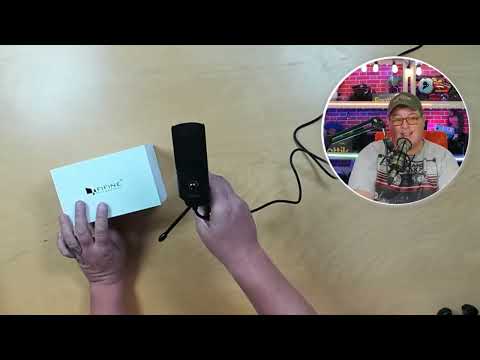
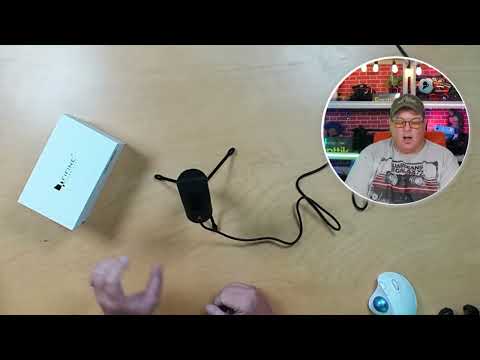
I started with the included desktop tripod. Its legs fold out for use and fold back up for transport, which makes it a compact setup instead of another large piece of gear claiming permanent space on the desk. For a beginner who has not committed to a boom arm, that included stand is meaningful: I could place the microphone down and begin working with it immediately.
The stand is also not the end of the story. I unscrewed the microphone from it, confirming that the microphone can be removed rather than remaining permanently attached to the desktop base. I noted that it could go on another preferred stand or a scissor arm. I would still check the mounting requirements of any particular arm before purchasing accessories, because I did not physically verify every arm or thread standard. Still, the basic flexibility is there, and it is one of the better practical reasons to consider this model for a first desk microphone.
Before worrying about software settings, I paid attention to which way the microphone faced. The manual instructed me to place the side with the visible internal microphone toward the speaker. I set it up in that orientation. This is easy to overlook with a small cylindrical microphone: it is tempting to assume the top should point at me or that every side behaves the same. The manual’s visible-internal-mic reference gives me a clear starting point, and I would begin there before changing gain or distance.
I then adjusted the microphone angle toward my speaking position. The mic can be oriented in more than one way depending on where it sits, so I did not have to leave it standing in only one rigid position. Once I found the angle I wanted, I tightened the horizontal adjustment so it would not spin around. That is a small mechanical detail, but it affects daily usability. If a microphone slowly turns away from my voice, I can end up chasing inconsistent levels without realizing that the position changed.
The setup also made me think about what “desk microphone” means in practice. A compact tripod is convenient when I need a quick recording position, limited space, or something that folds up afterward. It is less ideal if I regularly type, move equipment, tap the desk, or need the microphone completely out of my camera framing. I did not quantify desk-noise pickup in this session, but I expect a desk-mounted microphone to pick up some noise from an active desk. That is why I personally prefer an arm when the desk is busy.
Gain control is useful, but maximum is too much
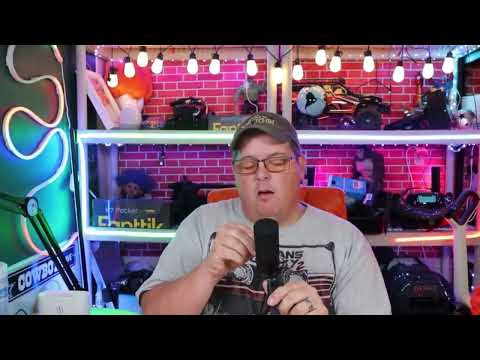
The onboard volume/gain control is the K669B feature I would pay closest attention to after mounting. It gives me an immediate adjustment at the microphone itself rather than making every change through software. I began at a very low setting after connecting the microphone and muting my other microphone, then moved through multiple positions while monitoring the input in OBS.
At a roughly desk-to-head distance, I brought the microphone control to about halfway. With OBS set at zero gain, my normal voice stayed around the yellow range, while louder speech could reach red. That tells me two useful things. First, I did not need to run the knob at maximum to obtain a substantial signal. Second, the correct setting depends on how loudly I actually speak, how far away I sit, and how much headroom I want for louder moments.
I then turned the microphone all the way up. The meter became extremely high in OBS, and I expected distortion at that setting. I reduced the OBS gain to minus 4 dB, which brought the level back to a more controlled range, although louder peaks could still sometimes reach red. This was a practical reminder that microphone gain and software gain work together. Raising both just because they are available is not a route to better voice audio.
With the physical control around the 3 o’clock area and OBS at minus 4 dB, the microphone was still picking me up readily. Later, I put the microphone control around the 12 o’clock position and returned OBS to zero. I could hear the level difference immediately. I would use these observations as starting points, not universal settings: my voice, room, distance, and software configuration will not perfectly match anyone else’s. But the lesson carries over cleanly—start low to moderate, speak at the volume I plan to use, and adjust from the actual meter rather than from where I think the knob ought to be.
For a beginner, this is an advantage rather than a reason to avoid the K669B. The knob makes the relationship between a physical adjustment and the input meter easier to understand. I can turn it a little, speak normally, and watch what changes. The downside is simply that the upper range is not a setting I would use carelessly. If my meter is living in red, I would lower the mic gain, lower software gain where appropriate, or revisit the microphone’s distance and placement.
Placement choices: tripod now, arm later
I tried several positions because placement is part of the purchase decision with a desk microphone. I moved the K669B well off to the side, out of camera view, and it still picked up my voice clearly enough to show level movement in OBS. That can be useful if I want a cleaner on-camera setup or simply do not want the microphone centered in front of me.
I also put it directly in front of me and moved it close in a scissor-arm-style position. At that closer position, with OBS at minus 4 dB, my level was not hitting wildly into red. When I changed OBS back to zero, it became much higher, which again reinforced that placement and gain cannot be separated. Bringing the microphone closer changes the level equation, so I would always recheck the meter after moving it.
I also listened while speaking toward the rear side and from below. Those checks were useful as orientation examples, not as a claim that every direction is equally desirable. The manual’s guidance remains my first setup reference: point the side with the visible internal microphone toward the speaker. Once that is right, I can decide whether the mic belongs at desk distance, closer on an arm, or off to the side based on my workspace and the level I am seeing.
This creates a realistic upgrade path. I can begin with the folding tripod, learn my preferred distance, and decide whether a fixed desk position works. If I find the microphone too visible, too far away, or too exposed to desk activity, I can explore a compatible alternate stand or scissor arm. I do not need to solve every studio problem on day one, and I do not have to discard the microphone merely because my setup changes.
For my own desk, an arm would be the longer-term preference because it can get the mic off the work surface and closer to where I speak. But the included tripod remains valuable. It is compact, folds up, and offers an immediate way to use the microphone without making accessory purchases before I know what arrangement I actually need.
Practical setup decisions before I record
I would make four simple decisions before judging the K669B. First, I would orient it correctly. The side with the visible internal microphone should face me according to the manual. This is the foundation for every later distance and level adjustment.
Second, I would secure the stand and aim it deliberately. The tripod needs to be opened for a stable desk position, and the horizontal adjustment should be tightened once the microphone is aimed at my speaking position. A stable angle means I can make meaningful comparisons when I change gain, rather than accidentally changing direction and level at the same time.
Third, I would set gain conservatively. My halfway test at desk-to-head distance was already enough for normal speech to sit around yellow in OBS, with louder speech reaching red. That does not mean halfway is a required setting; it means I have no reason to assume maximum is necessary. I would start lower, speak at my real presentation or recording volume, and leave room for laughter, emphasis, or other louder moments.
Fourth, I would decide whether the desk itself is quiet enough for the tripod. If I barely touch the desk, the compact stand may be all I need. If I type, adjust gear, bump the surface, or move around frequently while recording, I would consider the removable mounting option as a reason to move toward an arm. I did not measure desk noise, so I cannot put a number on that difference. It is simply a sensible workspace consideration based on the way a desktop-mounted microphone shares the same surface as my hands and equipment.
These steps are also why I see the K669B as more than a plug-in-and-forget product. It is plug-and-play in the useful sense that I can connect it and begin setting levels without an interface. But the best result from any basic recording setup comes from taking control of placement and gain instead of letting a high meter decide the session.
+ Pros
- Compact folding desktop tripod is included
- Microphone detaches from the included stand for alternate mounting
- Adjustable angle and tightening control help keep it aimed in position
- On-mic gain control provides direct level adjustment
- Picked up my voice from desk distance and an off-to-the-side position
− Cons
- Maximum microphone volume produced very high OBS levels and needs careful gain reduction
- Desktop placement may pick up desk noise compared with using a scissor arm
What this FIFINE K669B review does and does not answer
This review supports a clear conclusion about setup usability. I used the included folding tripod, removed the microphone from its stand, adjusted its angle, used the onboard control at several positions, and watched how voice levels responded in OBS from different locations. I also confirmed that it could still pick up my voice when positioned well off to the side and that moving it close on a scissor-arm-style position changed the level relationship.
There are limits to those observations. I did not perform a measured frequency-response test or a direct recording-quality comparison against competing microphones. I also did not establish cable length, long-term durability, every included accessory, or compatibility with a specific scissor arm. The product listing identifies Mac OS and Windows compatibility and markets the microphone as cardioid/unidirectional, but those are listing and documentation details rather than claims I independently verified through this desk setup.
That distinction matters for shoppers. If my priority is a compact USB microphone with a tripod, an adjustable position, a removable stand connection, and direct gain adjustment, I have useful firsthand evidence here. If my purchase depends on a specific arm thread, a detailed sound-signature comparison, or proven desk-noise isolation, I would verify those points separately before buying.
Specs
| Spec | Detail |
|---|---|
| Product | FIFINE K669B USB Condenser Microphone |
| Power/connection | USB-powered |
| Included stand | Foldable desktop tripod |
| Microphone adjustment | Adjustable angle with horizontal tightening control |
| Onboard control | Volume/gain knob |
| Pickup orientation | Front side indicated by visible internal microphone, per manual |
| Marketed compatibility | Mac OS and Windows, according to product listing |
| Marketed pickup pattern | Cardioid/unidirectional, according to product documentation |
Scorecard
USB power, included stand, and direct gain control keep it simple.
The removable stand makes an arm or alternate stand possible.
The physical knob is useful, but high settings need restraint.
Compact tripod works, though desk noise is a possible concern.
Angle adjustment and a tightening control help aim the mic.
FIFINE K669B review FAQ
Does the FIFINE K669B include a stand?
Yes. I used the included compact desktop tripod. The legs fold open for use and fold back up for transport, so it works as a small desk stand and stores more compactly when it is not in use.
Can the FIFINE K669B go on a scissor arm?
I removed the microphone from its included stand and noted that it could be used on another preferred stand or attached to a scissor arm. I did not verify compatibility with every arm or thread standard, so I would confirm the mounting requirements of my specific arm before buying accessories.
Does the FIFINE K669B have gain control?
Yes. It has an onboard volume/gain knob. I began at a low setting and adjusted it through multiple positions while monitoring the microphone in OBS, which made the effect of the setting easy to observe.
Should I run the K669B gain at maximum?
No, not by default. When I turned the microphone all the way up, I saw very high levels in OBS and expected distortion. Reducing OBS gain to minus 4 dB brought the level into a more controlled range, though louder peaks could still touch red. Start lower and adjust for your own voice and distance.
Which side of the FIFINE K669B should face me?
The manual instructed me to face the side with the visible internal microphone toward the speaker. I would use that as the starting orientation, then adjust the microphone angle toward my mouth and tighten the horizontal adjustment so it stays there.
Can I place the K669B off to the side of my camera?
I moved it well off to the side and out of camera view, and it still picked up my voice clearly enough for me to see level movement in OBS. I would still monitor my own levels after moving it, since distance and placement change the amount of gain I need.
Final recommendation
The FIFINE K669B is a sensible no-drama USB microphone for someone who wants a compact desk setup now and a path to a different mounting position later. The folding tripod is convenient, the removable stand connection adds useful flexibility, and the physical gain knob makes input adjustment immediate rather than hidden in software.
I would recommend it most to a beginner who is willing to do the unglamorous basics: face the correct side toward the speaker, set the angle securely, watch the recording meter, and avoid treating the maximum gain setting as the default. The practical benefit is not that it removes every audio decision. It is that it keeps the important early decisions visible and manageable.
If I planned to record at an active desk, I would factor in an arm as a possible later addition because I expect desk noise to be a concern with a desktop-mounted microphone. If I need a small USB mic with an included folding stand and the option to change the mount later, though, the K669B offers a solid foundation for getting started.
As an Amazon Associate I earn from qualifying purchases.